It was never the speaker.
How a forgotten effect, hidden in the sound settings of an old phone, became Amp S Again.
The day I bought a speaker.
In 2019, I came out of a listening session having decided to buy a Devialet Phantom. The sound was magical: deep, physical, with an impact I had never heard from a speaker that size. Every note seemed to carry more weight, more air, more life.
The music came from my own phone, a Galaxy S8. Its Tube Amp Pro effect was switched on, as it always was. I didn't give it a second thought.
I thought I had bought a speaker. I had bought a sound.
Another phone, another speaker.
It only took a few days to understand. A friend's phone, then another: plugged into the same Phantom, the music turned flat, polite, almost insignificant. The depth and the impact had never come from the speaker alone.
What had won me over was a pairing: the Phantom, and the small tube simulator tucked away in my Galaxy's sound settings.
Years with the same phone.
From that day, I kept my Galaxy S8. I never updated it, for fear of losing the effect: Samsung had already dropped Tube Amp Pro from the phones that came after.
For years, every album I played at home went through that one phone. Listening to the Phantom without it had simply become impossible.
If it couldn't be bought, it could be rebuilt.
Then came the idea: rebuild the effect from the outside, with the original S8 as the reference. Not a single line of Samsung's code, only listening and measuring. Music went into the phone, the processed sound came out, and the full power of modern cloud computing and AI worked through thousands of measurements to understand, note by note, what the tube really does to the bass, the mids and the highs.
The result is Amp S Again, for Windows. It brings back the Tube Amp Pro of the Galaxy S8 and S9 so faithfully that I can't hear the slightest difference. Even when you zoom in on the frequency curves, they stay on top of each other.
Rebuilding the effect was only the beginning.
Amp S Again goes where the phone's effect never went, so that every system, from headphones to a Phantom, sounds its best.
A dose you choose
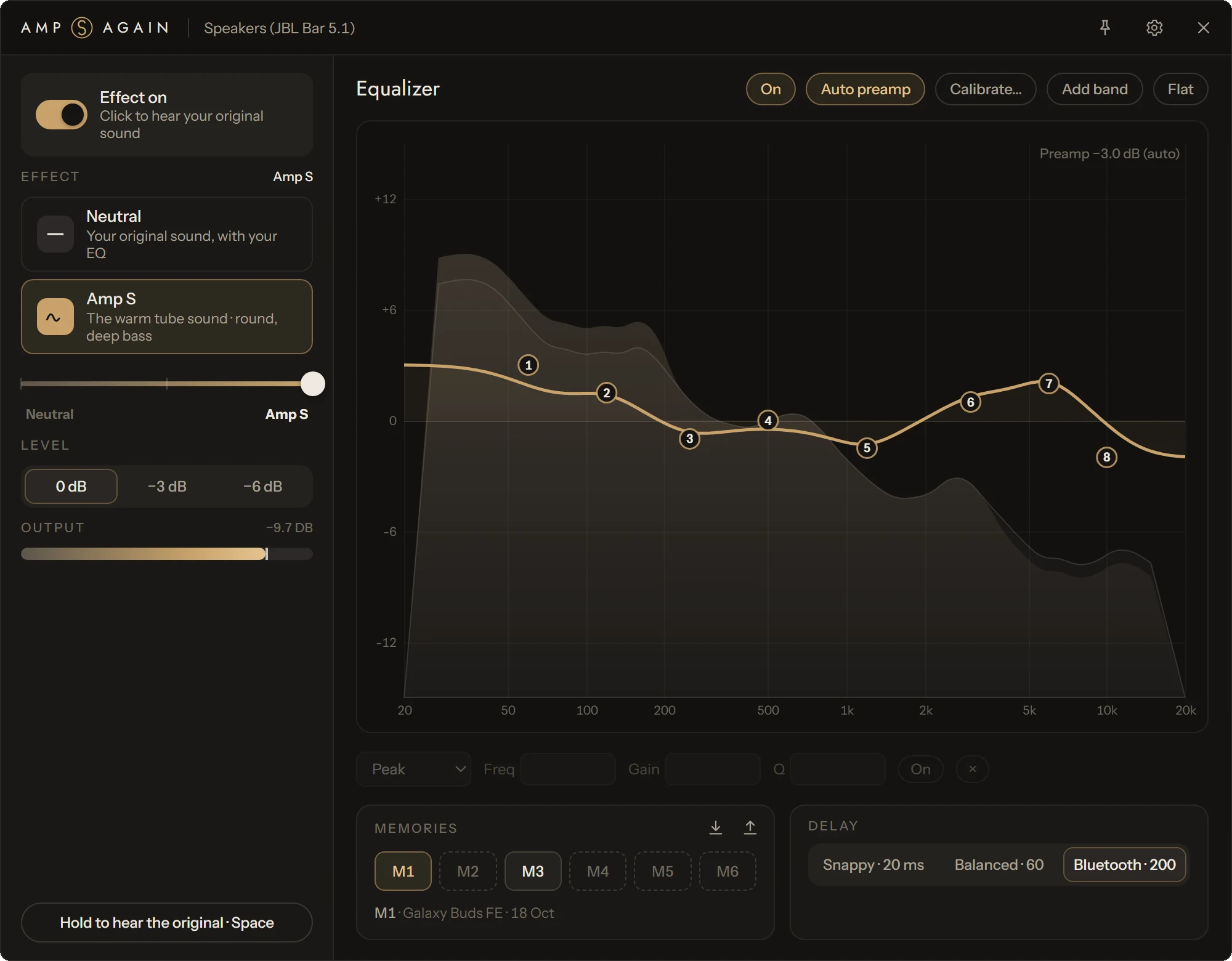
Samsung's effect was on or off. Here you set how much tube you want, from a light touch to the full effect, depending on the music and on the system you play it on.
Equalizer and calibration
A multiband parametric equalizer, together with a calibration done with your phone, brings out the best of each system and corrects its flaws.
Remembered for every device
Each output keeps its own equalizer, automatically: headphones, soundbar or speakers, everything is ready the moment you switch.
Invisible in Windows
Every audio output benefits from the effect, with a latency that can stay under 80 ms, buffer included.
Three songs, with and without.
These are the songs I keep coming back to. Play them with Amp S Again, then hold Space to hear them plain. The difference is the reason this app exists.
- Sultans of SwingDire Straits
- Don't Give UpPeter Gabriel
- Beds Are BurningMidnight Oil
Tip: listen on your usual speakers or headphones, at your usual volume, with any other sound effect switched off.
Hear it on your own music.
3 hours with the full tube sound, then the free version keeps 25 % of the effect. A one-time purchase unlocks 100 %.